

Google Business Profile management in Kottayam means keeping your Google listing complete, accurate and active every week so you appear in Google Maps and the local map pack. It covers verification, the right primary and secondary categories, services, service areas, photos, weekly posts, offers, review requests and replies, questions, spam protection and monthly insights on calls, direction requests and website clicks. Most businesses see more calls within four to eight weeks of consistent management.
Key takeaways
- Google Business Profile management in Kottayam keeps your listing complete, accurate and active every week.
- Your primary category is the most important ranking setting on the profile.
- A steady flow of genuine reviews with replies helps rankings and conversions.
- Weekly posts and fresh photos show Google and customers that you are active.
- Keep your name, address and phone identical everywhere online.
- Track calls, direction requests and website clicks every month.
Why your Google Business Profile matters so much
When someone in Kottayam searches for "dentist near me", "AC service Kottayam" or "best bakery in Ettumanoor", Google usually shows a map with three businesses before any websites. That map pack gets a large share of calls, direction requests and visits. The information that appears there comes from your Google Business Profile.
Many businesses create a profile once and forget it. Competitors who keep theirs active, accurate and full of reviews quietly take the calls. Google Business Profile management in Kottayam is the ongoing work that keeps you visible and trusted in Google Maps.

How Google decides who appears on Maps
Google ranks local results using three main factors:
- Relevance: how well your profile matches the search
- Distance: how close your business is to the searcher or the location in the search
- Prominence: how well known and trusted your business is, including reviews, links and mentions
You cannot change your distance, but good management improves relevance and prominence every month. Google explains this in its guide to improving your local ranking.
11 powerful steps of Google Business Profile management in Kottayam
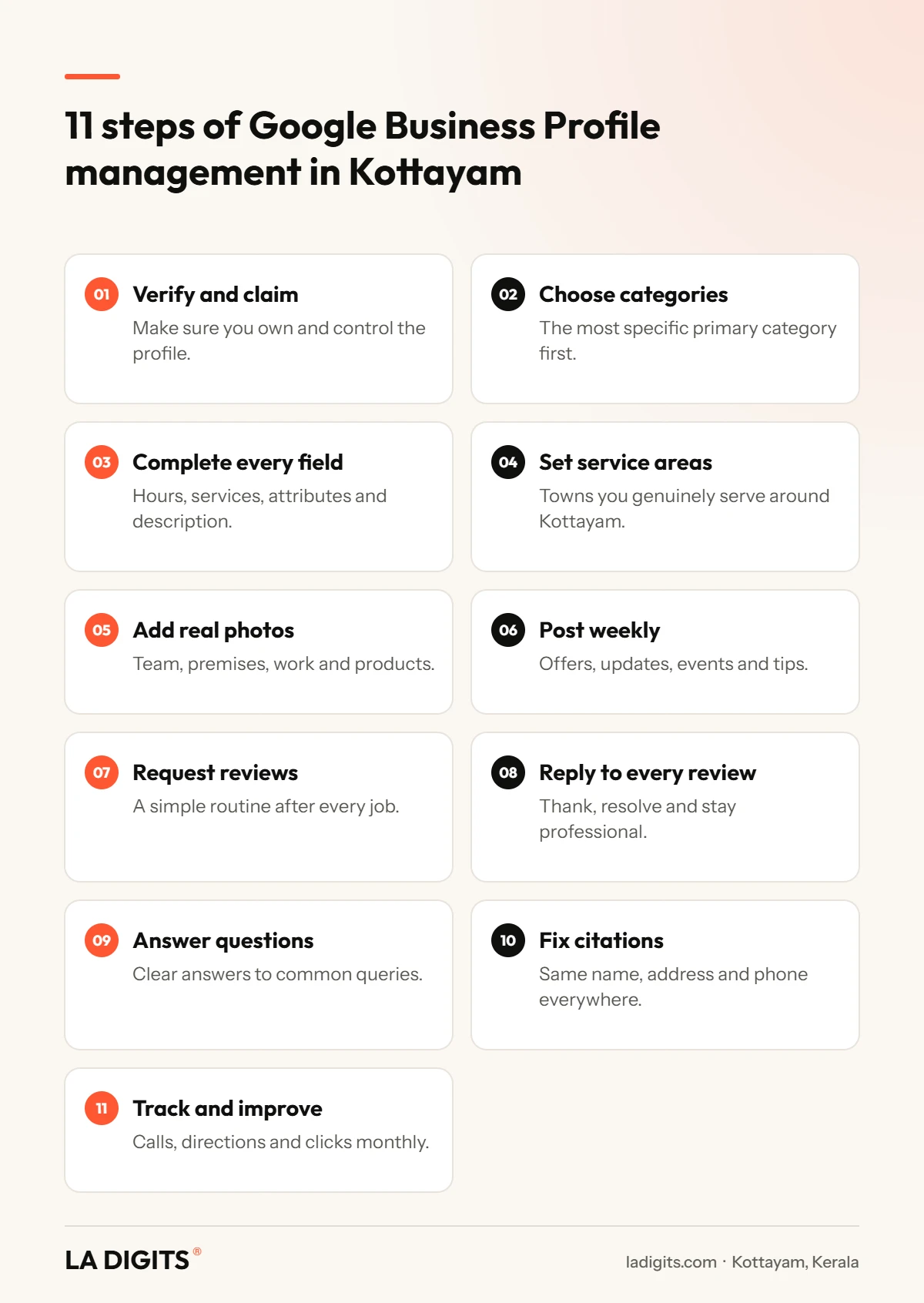
1. Verify and claim your profile
Make sure the profile is verified and that the owner account belongs to your business, not a former employee or agency. Add managers with their own logins.
2. Choose the right categories
Your primary category is the most important setting. Choose the most specific option that describes your main business, then add relevant secondary categories. A wrong primary category can keep you out of the searches that matter.
3. Complete every field
Add your business description, opening hours, holiday hours, phone, website, services, products, attributes and booking links. Complete profiles look more trustworthy and give Google more information to match searches.
4. Set accurate service areas
If you visit customers, add the towns you genuinely serve, such as Kottayam, Ettumanoor, Pala, Changanassery, Vaikom and Kanjirappally.
5. Add real photos regularly
Upload clear photos of your team, premises, work, products and signage. Real photos build trust far better than stock images, and new photos signal an active business.

6. Post every week
Google posts appear on your profile and can include offers, events, updates and tips with a button to call, book or learn more. Weekly posts keep your profile fresh.
7. Build a steady flow of genuine reviews
Ask happy customers for reviews as part of your routine, using a short link or QR code. Encourage them to mention the service and town naturally. Never buy reviews or offer rewards for them; Google removes them and can penalise your listing.
8. Reply to every review
Thank customers for positive reviews and respond calmly and helpfully to negative ones. For healthcare and other sensitive industries, never reveal private details in replies.
9. Answer common questions
Add clear answers about pricing, parking, timings, languages spoken and services, and respond to any public questions quickly.
10. Keep your details consistent everywhere
Your business name, address and phone number should be identical on your website, Justdial, Facebook, IndiaMART, Sulekha and other directories. Inconsistent details confuse Google and customers. Learn about our business listing and citation services.
11. Track results and improve
Review insights every month: calls, direction requests, website clicks, messages and the searches that found you. Use these numbers to decide what to post and which services to highlight.
How to write a strong business description
Your description has 750 characters to explain what you do, where and why customers should choose you. Keep it factual and helpful:
- Start with what you do and where, for example "Family dental clinic in Kottayam town"
- Mention your main services in plain language
- Add proof, such as years in business or specialist qualifications
- List the areas you serve if you visit customers
- Finish with how to contact you
Avoid links, promotional claims in capital letters and lists of keywords. Google may reject descriptions that look like spam.
Review request messages you can copy
Asking at the right moment, with a short link, makes a big difference. Adapt these to your business:
Send the request by WhatsApp within a day of the visit, while the experience is fresh.
A month of Google post ideas
| Week | Post idea |
|---|---|
| Week 1 | Introduce a service with a real photo and a "Call now" button |
| Week 2 | A customer question answered in two or three sentences |
| Week 3 | An offer or seasonal update with clear dates |
| Week 4 | Behind the scenes: your team, premises or a recent project |
Rotate through your main services so each one appears regularly. Posts with real photos and a single clear call to action usually perform best.
What a monthly management service includes
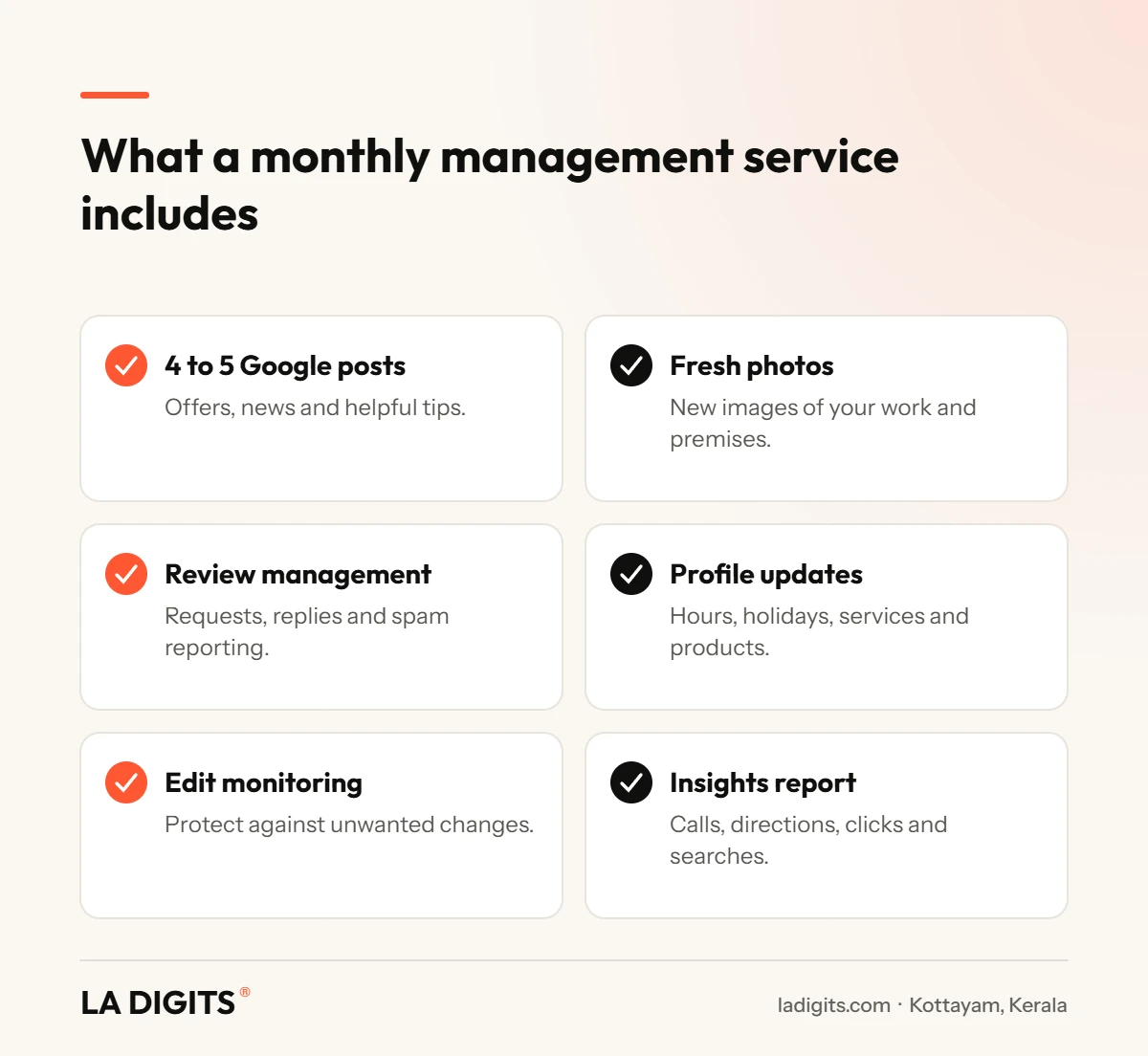
| Task | Frequency |
|---|---|
| Google posts | Weekly |
| New photos | Every week or two |
| Review requests and replies | Ongoing |
| Profile accuracy check | Monthly |
| Holiday and festival hours | Before each holiday |
| Citation and directory checks | Quarterly |
| Insights report | Monthly |
Google Business Profile management in Kottayam: do it yourself or hire help?
You can manage your own profile if you have the time and discipline to post weekly, add photos, request and reply to reviews and check for unwanted edits. Many businesses start strong and then stop after a few weeks.
A managed service makes sense when you want consistent activity, professional photos and posts, a review system that works and monthly reporting without adding to your workload. LA DIGITS has managed more than 500 Google Business Profiles.

How much does Google Business Profile management cost?
Costs depend on how many locations you have, how often you post and whether photography is included. Optimisation is a one-time setup, while management is a monthly service. See our Google Business Profile management in Kottayam page or Google Business Profile optimisation for details, or compare all digital marketing packages.
Mistakes that hurt your Google Maps ranking
- Keyword stuffing your business name, which breaks Google’s rules and risks suspension
- Choosing a vague primary category
- Fake or incentivised reviews
- Ignoring negative reviews
- Wrong or outdated hours, especially during festivals
- Different addresses or phone numbers across directories
- Using a virtual office or PO box as your address
- Never posting or adding photos
For a deeper technical guide, read how to rank higher on Google Maps.
Who benefits most
| Business type | Why it matters |
|---|---|
| Clinics and hospitals | Patients compare doctors, timings and reviews on Maps |
| Restaurants and cafés | Hungry searchers choose from the map pack |
| Retail and showrooms | Direction requests turn into walk-ins |
| Home services | Calls come straight from the listing |
| Schools and coaching centres | Parents check reviews and photos |
| Hotels and homestays | Travellers choose by photos and ratings |
Working with LA DIGITS
LA DIGITS provides Google Business Profile management in Kottayam from our office on MC Road, Ettumanoor. We have managed more than 500 profiles and our own profile is rated 5.0 from 195 Google reviews. Our team handles optimisation, weekly posts, photos, review systems, spam protection and monthly reports for businesses across Kottayam district. Book a free Google Business Profile audit and we will show you where you rank today and what to fix.
Google Business Profile terms explained
- Primary category: the main category that describes your business and drives relevance.
- Secondary categories: extra categories for other genuine services you offer.
- Service area: the towns you serve if you visit customers.
- NAP: your business name, address and phone number, which must match everywhere.
- Citation: any online mention of your NAP, such as Justdial or Facebook.
- Map pack: the three businesses shown with a map for local searches.
- Profile insights: calls, direction requests, website clicks and search terms.
- Suggested edits: changes other users propose to your profile, which you should monitor.
- Suspension: when Google removes a profile for breaking its guidelines.
A note on Google guidelines
Google publishes clear guidelines on how businesses should represent themselves. The safest approach is simple: use your real business name, a genuine address or service area, accurate categories and honest reviews. Shortcuts may work briefly but often end in suspension, which is far more costly than doing things properly from the start.
Summary
Google Business Profile management in Kottayam is one of the highest-return activities for any local business. Choose the right categories, complete every field, post weekly, add real photos, build a steady flow of genuine reviews and reply to each one. Keep your details identical across the web and review insights monthly. Whether you do it yourself or choose professional Google Business Profile management in Kottayam, consistency is what wins the map pack.
Your next step
Search for your main service in Kottayam on your phone today. If competitors appear above you on the map, start with the eleven steps in this guide, or ask LA DIGITS for a free profile audit to see exactly what is holding your listing back.
Related guides
- Best digital marketing company in Kottayam: 12 proven signs
- Digital marketing services in Kottayam explained
- SEO company in Kottayam: what good SEO looks like
- SEO agency in Kottayam vs freelancer vs in-house
- Social media marketing agency in Kottayam: 10 questions
- Website development company in Kottayam: cost and process
- Facebook and Instagram ads agency in Kottayam: 9 strategies
- Affordable digital marketing agency in Kottayam
- Digital marketing firm in Kottayam: 7 local benefits
Frequently asked questions
What is Google Business Profile management in Kottayam?
Google Business Profile management in Kottayam is the ongoing work of keeping your Google listing complete, accurate and active with posts, photos, reviews, replies, updates and monthly reporting.
How much does Google Business Profile management in Kottayam cost?
It depends on the number of locations, posting frequency and photography. Setup optimisation is one-time, and management is monthly. LA DIGITS shares a written quote after a free audit.
How long does Google Business Profile management in Kottayam take to show results?
Many businesses see more calls and direction requests within four to eight weeks of consistent management, depending on competition.
What is the difference between optimisation and Google Business Profile management in Kottayam?
Optimisation is a one-time setup of categories, details and photos. Management is the monthly routine that keeps the profile active and growing.
Does Google Business Profile management in Kottayam include reviews?
Yes. It includes a system to request genuine reviews, replying to every review and reporting fake or spam reviews.
How often should I post on my Google Business Profile?
Once a week is a good standard. Posts can include offers, updates, events and helpful tips with a call to action. Weekly posting is part of every good Google Business Profile management in Kottayam plan.
Can Google Business Profile management in Kottayam help me rank in nearby towns?
It can help you appear for searches in towns you genuinely serve, especially when combined with service areas and local pages on your website.
Is it safe to add keywords to my business name?
No. Adding keywords that are not part of your real business name breaks Google guidelines and can lead to suspension.
Should I pay for Google reviews?
No. Paid or incentivised reviews break Google rules and can be removed or harm your listing. Ask happy customers genuinely.
Can Google Business Profile management in Kottayam handle multiple locations?
Yes. Multi-location management keeps every branch accurate, consistent and active, with separate reporting for each. Each branch gets its own posts, photos and review replies as part of Google Business Profile management in Kottayam.
What insights should Google Business Profile management in Kottayam report?
Calls, direction requests, website clicks, messages, profile views and the search terms customers used to find you.
What is the most important setting on a Google Business Profile?
The primary category. It strongly influences which searches your business appears in.
Can someone else edit my Google Business Profile?
Google users can suggest edits. Monitoring the profile and correcting unwanted changes is part of management.
Do photos help Google Business Profile rankings?
Real, regular photos improve engagement and trust and signal an active business, which supports visibility. Regular photo uploads are included in professional Google Business Profile management in Kottayam.
Why did my Google Business Profile disappear from Maps?
Common causes include suspension for guideline issues, address problems, verification issues or major changes. A professional audit can find the cause. Checking for these issues is part of Google Business Profile management in Kottayam.
Does Google Business Profile management in Kottayam include directory listings?
Good services check and correct your details on major directories so your name, address and phone match everywhere.
Can I manage my Google Business Profile myself?
Yes, if you post weekly, add photos, request and reply to reviews and check insights consistently. Many businesses outsource it to stay consistent. A monthly Google Business Profile management in Kottayam service keeps it consistent when you are busy.
How do I ask customers for Google reviews?
Share a short review link or QR code after a good experience, by WhatsApp, SMS or printed card, and ask them to describe their experience honestly.
Does my website affect my Google Maps ranking?
Yes. A website with clear service and location pages, consistent details and local schema supports your profile and rankings.
Who offers Google Business Profile management in Kottayam?
LA DIGITS in Ettumanoor has managed more than 500 Google Business Profiles and is rated 5.0 on Google from 195 client reviews.
&media=https://ladigits.com/wp-content/uploads/2026/10/ladigits-google-business-profile-management-in-kottayam-thumbnail.webp)